For Vast.ai hosts · 14-day Ultra trial, no card

Run your GPU fleet
like a business.

Hostdeck watches every machine, rental and dollar on Vast.ai — then tells you why earnings moved, what to charge, and what to fix before renters notice.

  • API key encrypted at rest
  • No price change without your consent
  • Set up in about two minutes
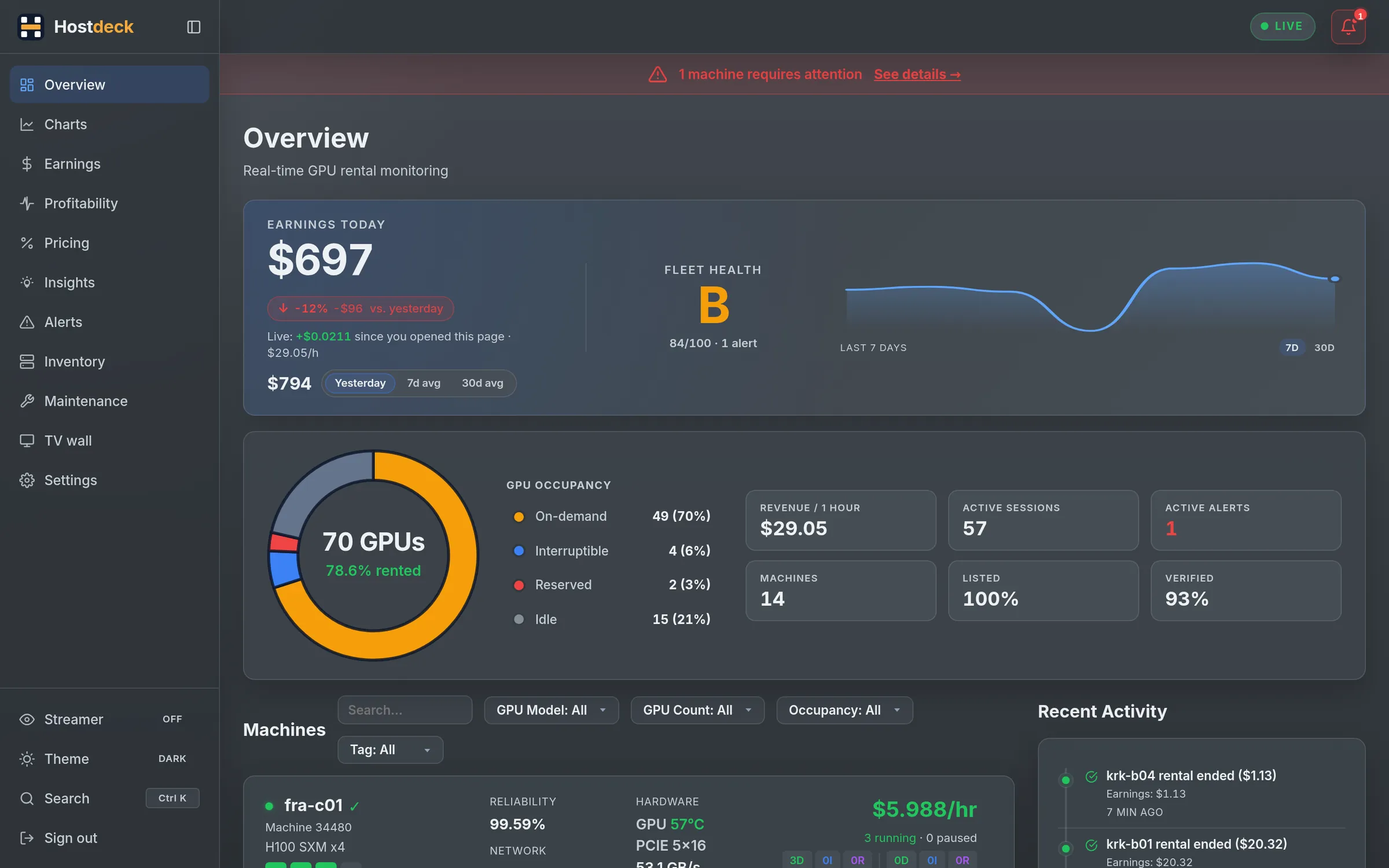
Hostdeck overview: earnings today, fleet status and a live card per machine
1 minchecks on Ultra
5 yearsof history kept
100+alert channels via Apprise
0 SSHfor routine host chores

Monitor Every plan

Know what every GPU is doing, right now.

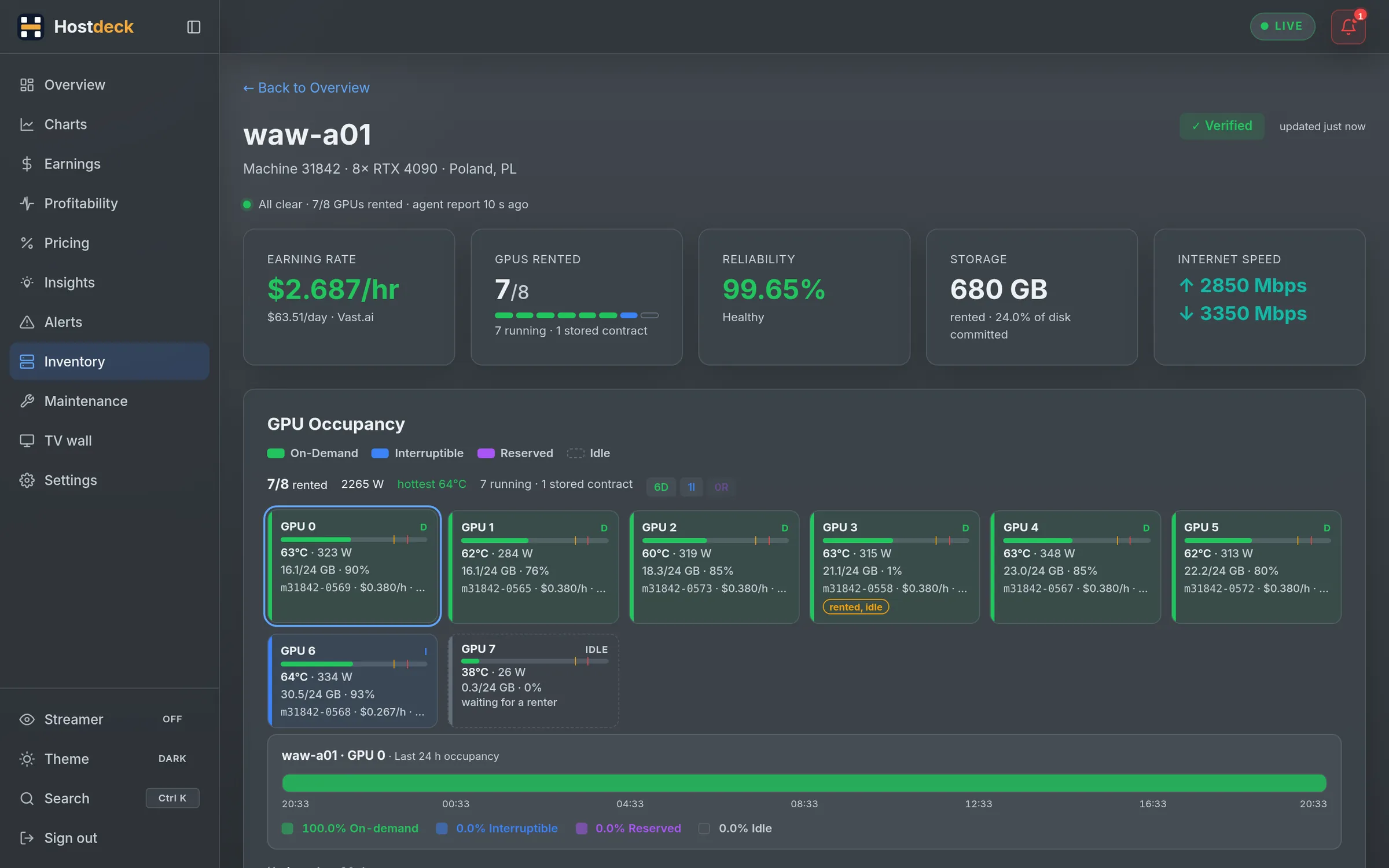
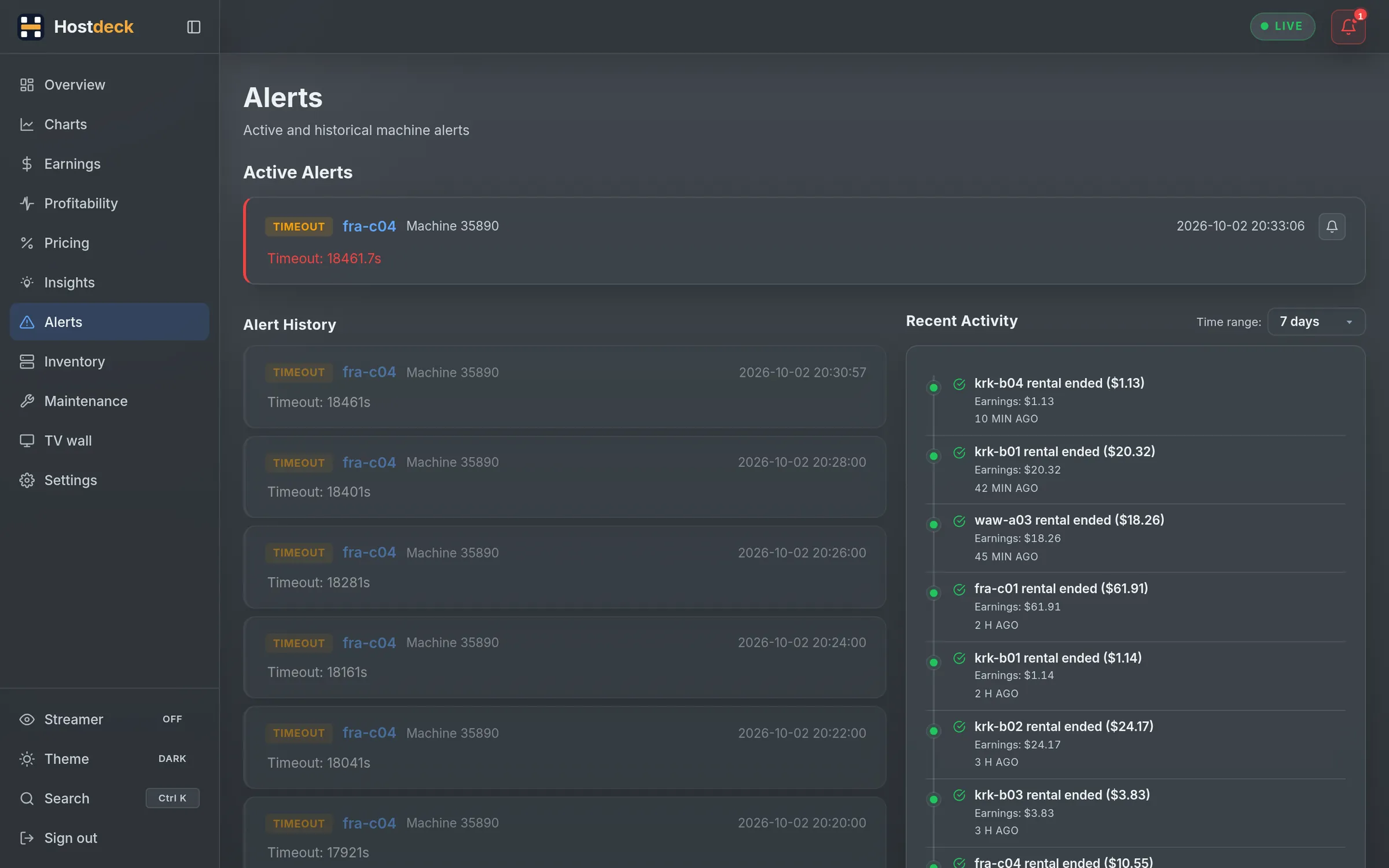
Every machine gets a live card and its own page: GPU occupancy, rental sessions with start, pause, resume and end, earnings rate, reliability and the listing. Offline hosts, errors and machines Vast.ai drops from your account raise an alert — and an all-clear when they recover.

  • Updates stream in live; no refresh button
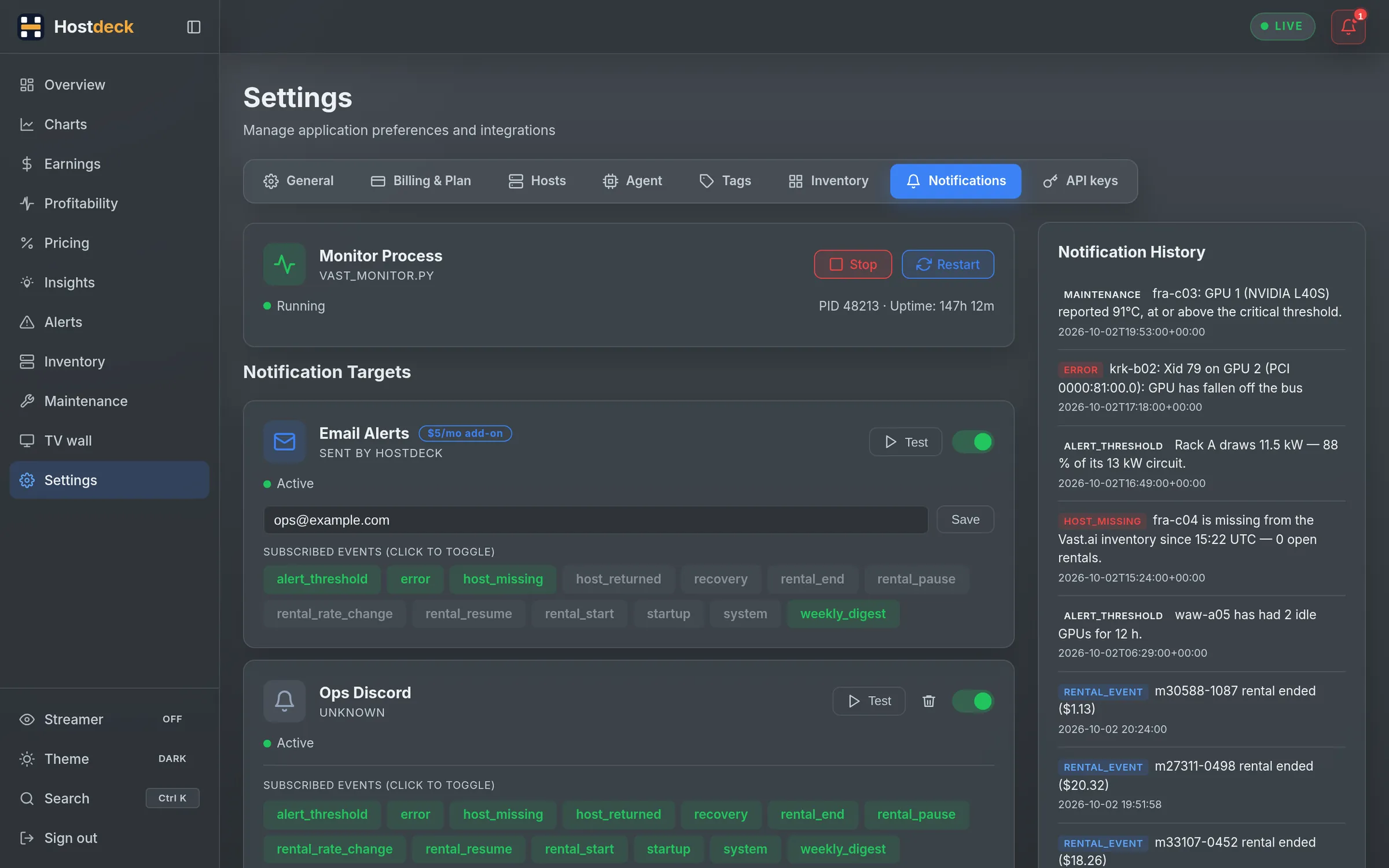
  • Discord, Telegram and 100+ channels through Apprise, with quiet hours
  • Rules for low occupancy, low daily earnings, idle machines and more
  • A weekly digest: earnings vs last week, best and worst machine, open tasks
A machine page with live KPIs, GPU occupancy and rental sessions
Notification targets, alert rules and the weekly digest settings

Earnings Every plan Autopsy: Pro

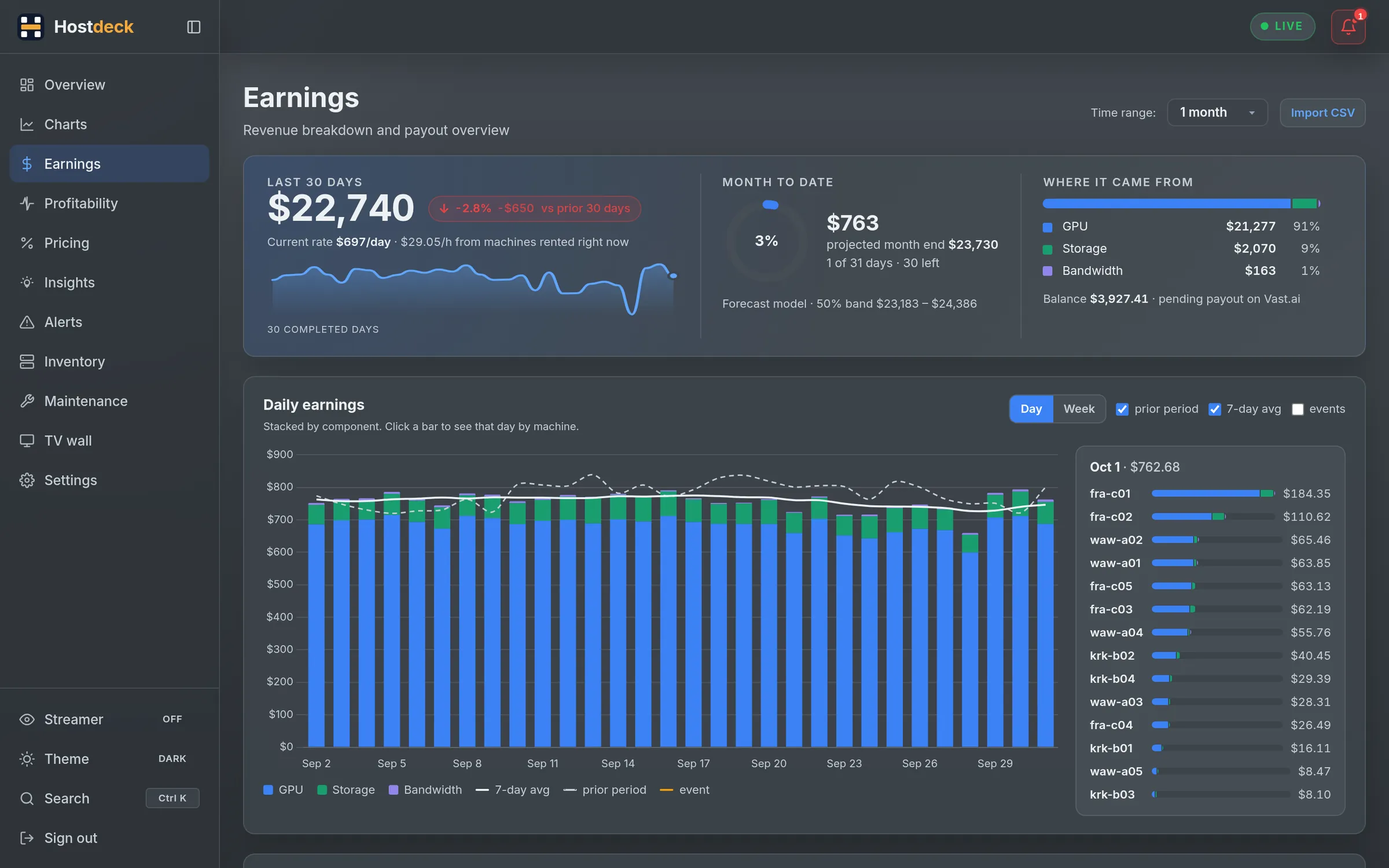
Earnings that explain themselves.

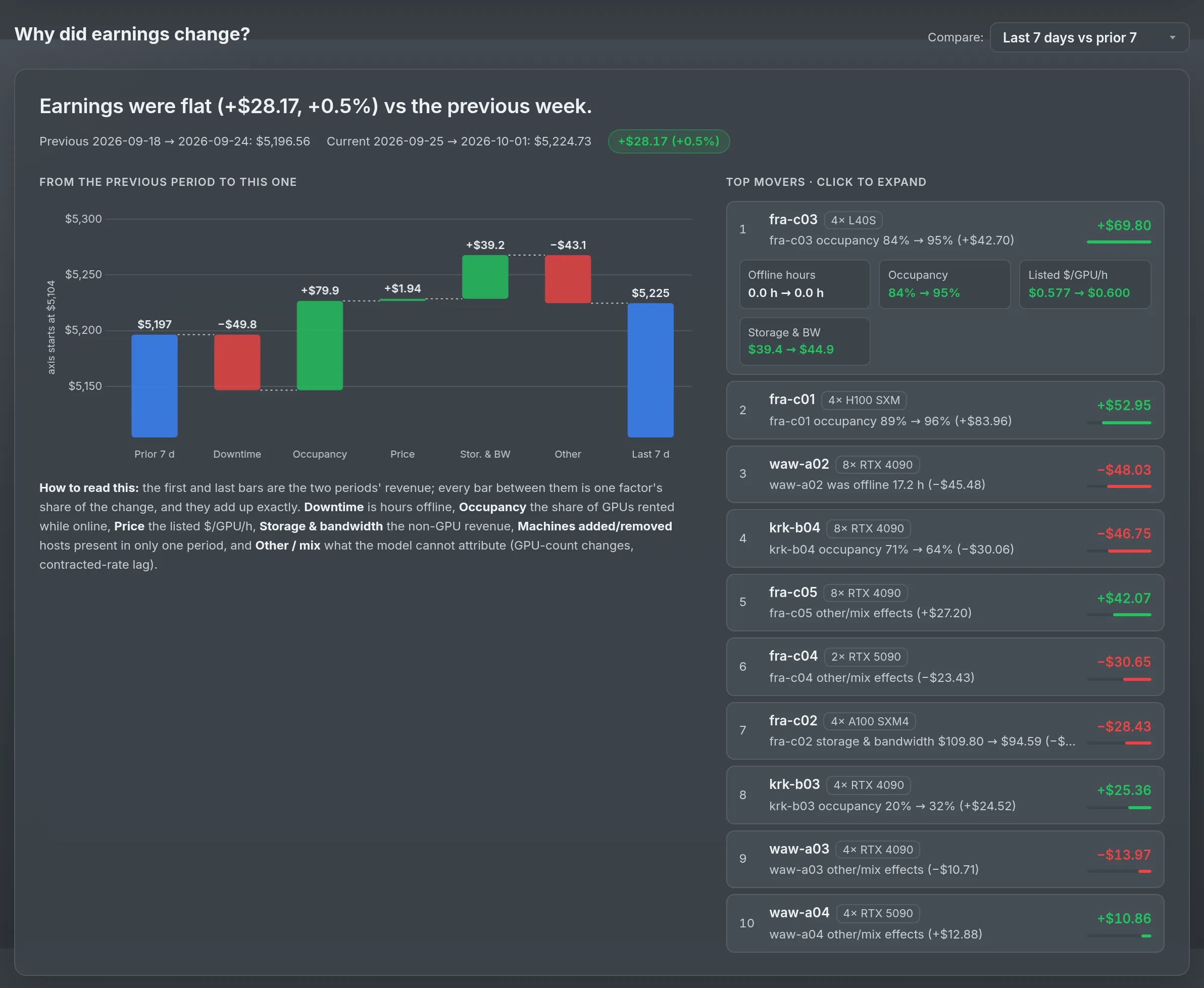
Daily and per-machine earnings, a month-to-date ring with the month-end projection, and a forecast with confidence bands. When the total moves, Earnings Autopsy breaks the change into downtime, occupancy, price, storage and bandwidth, and machines added or removed — as a waterfall, with the machines that moved it most.

  • Import your full history from the Vast.ai CSV export
  • What-if sliders for occupancy, price and machines online on the forecast
  • "Why it changed" lands in your weekly digest too
Earnings Autopsy waterfall splitting a weekly change into its causes

Pricing Pro

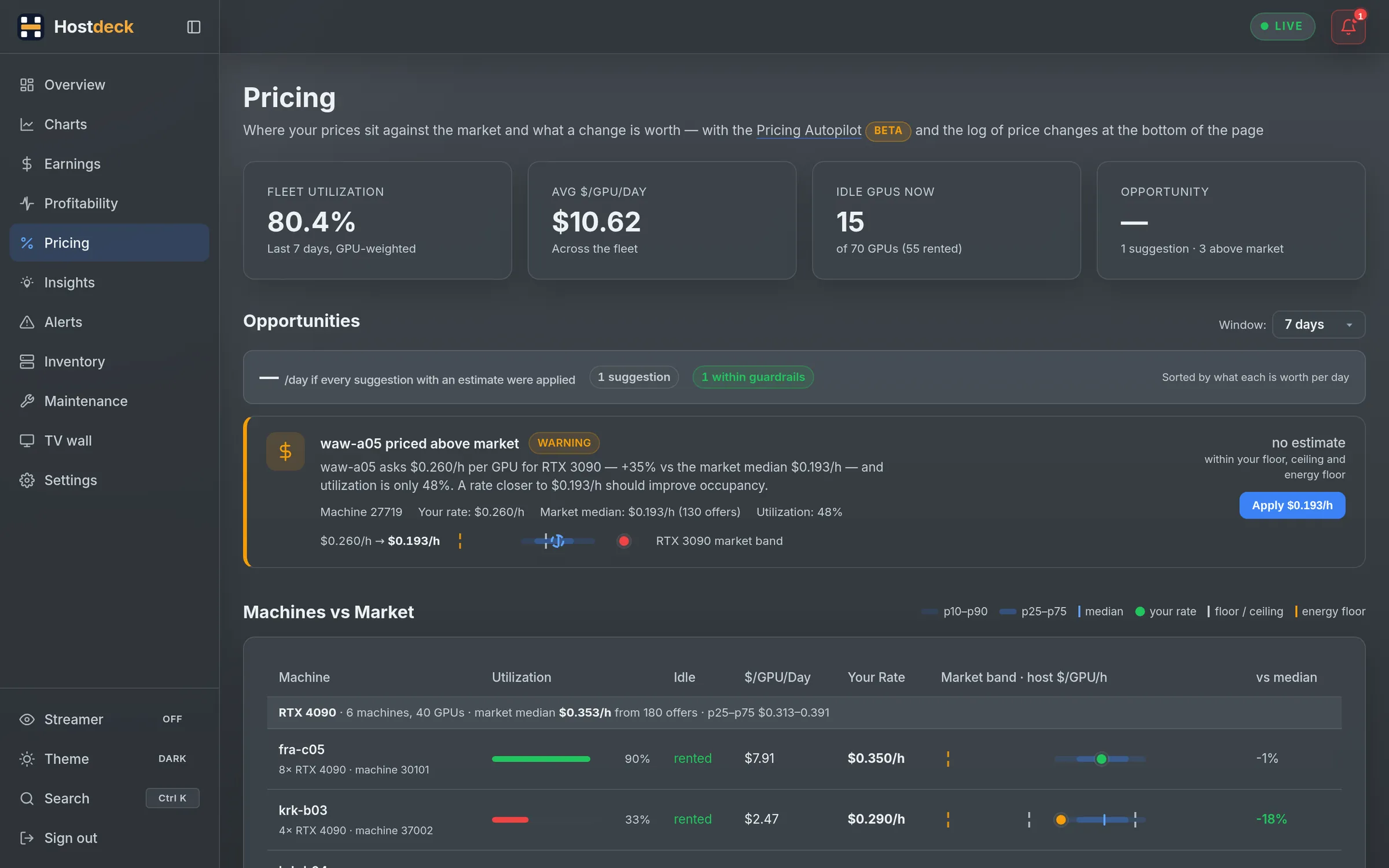
Price against the market, not a guess.

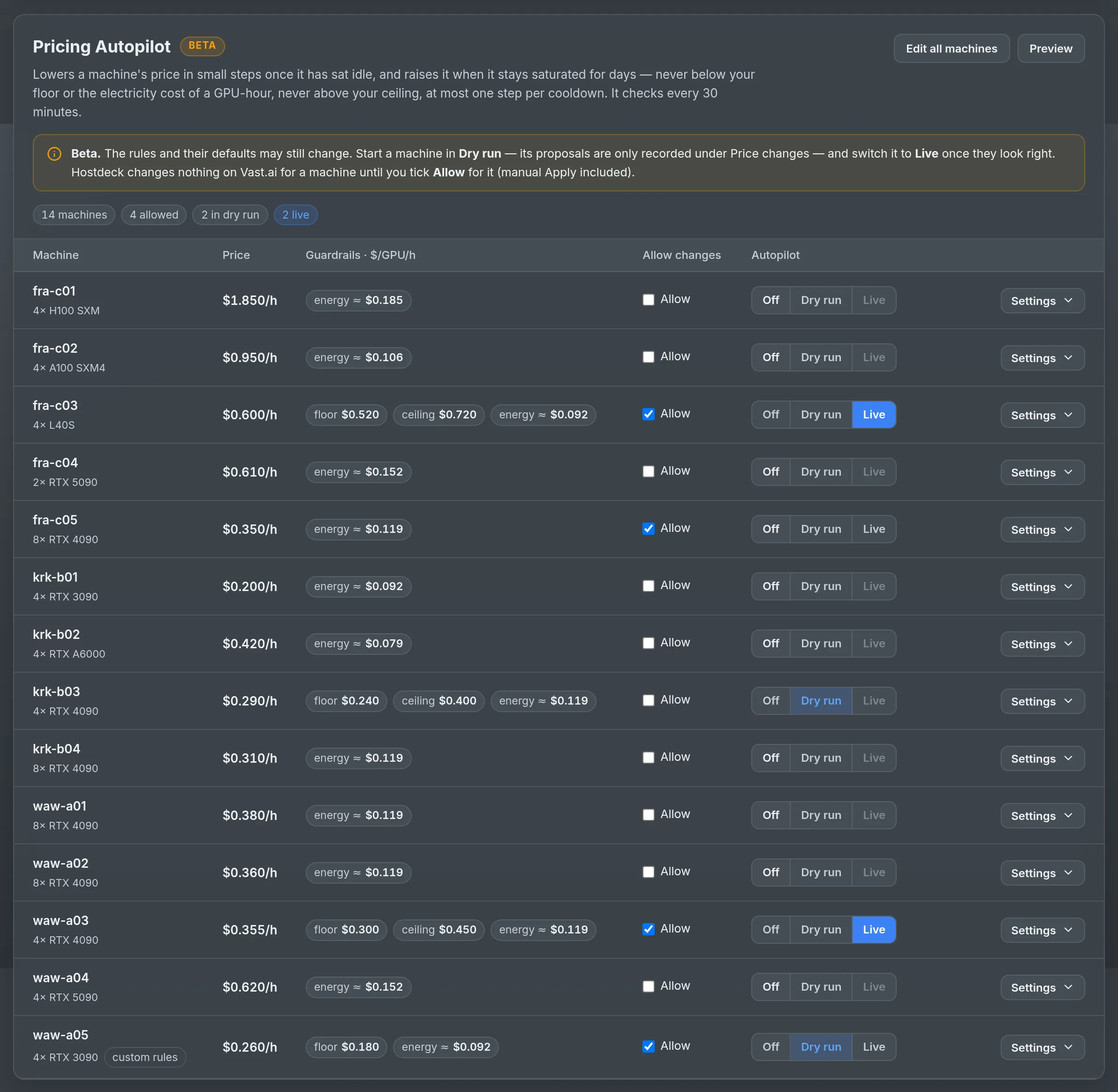
Every machine is placed against the current market band for its GPU model, with utilisation, $/GPU/day and a demand curve. Apply a suggestion in one click, or let the Pricing Autopilot lower idle machines toward the median and raise busy ones — in dry run first, then live when you trust it.

  • Floors, ceilings, a maximum step and a cooldown per machine
  • An energy floor from your tariff, so it never prices below the electricity
  • Every change logged with 72 h before and after — and one-click rollback
  • Nothing is written to Vast.ai until you allow it for that machine
Pricing Autopilot policies and the price change log with attribution

Profitability Pro

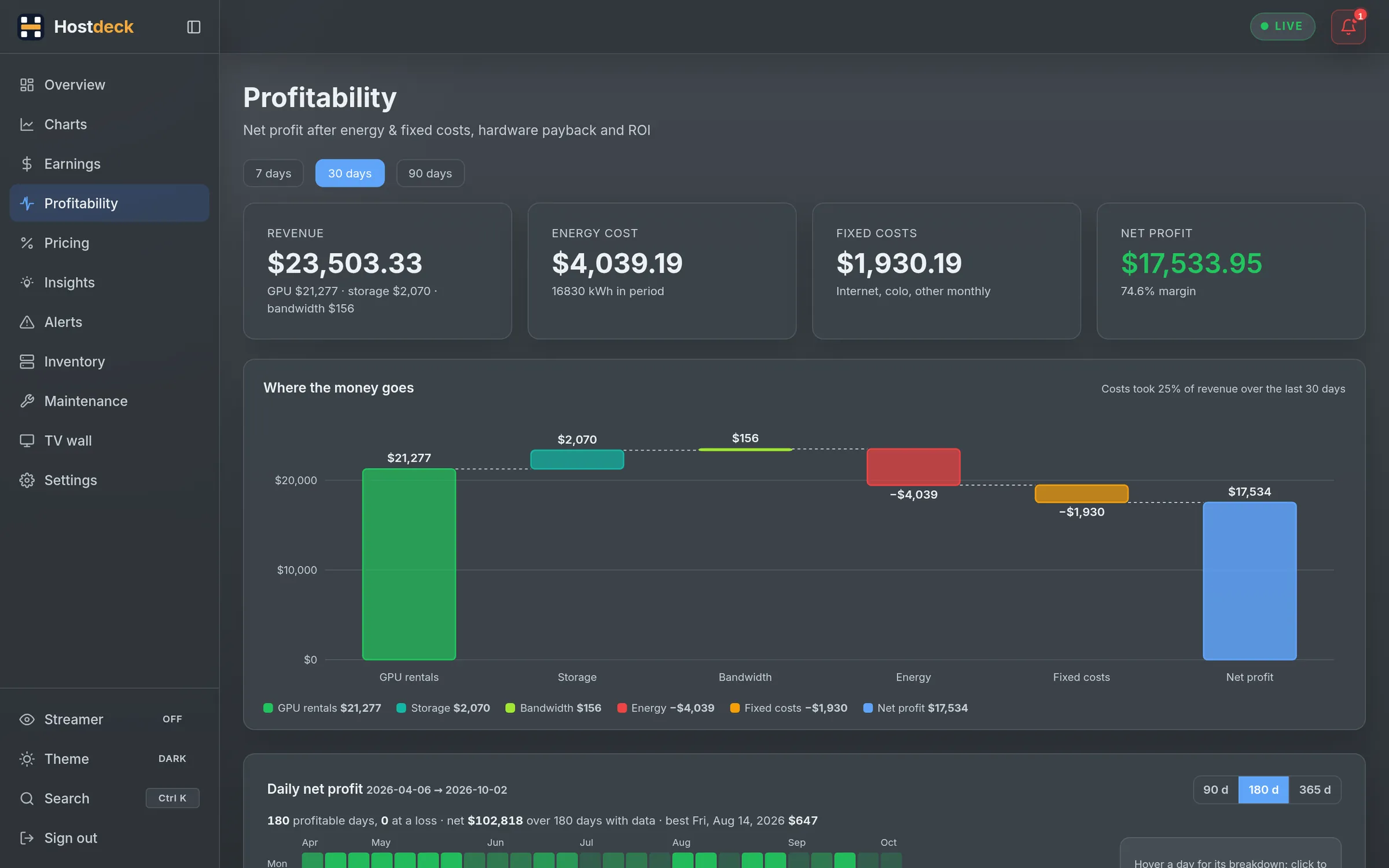
Net profit, after the electricity bill.

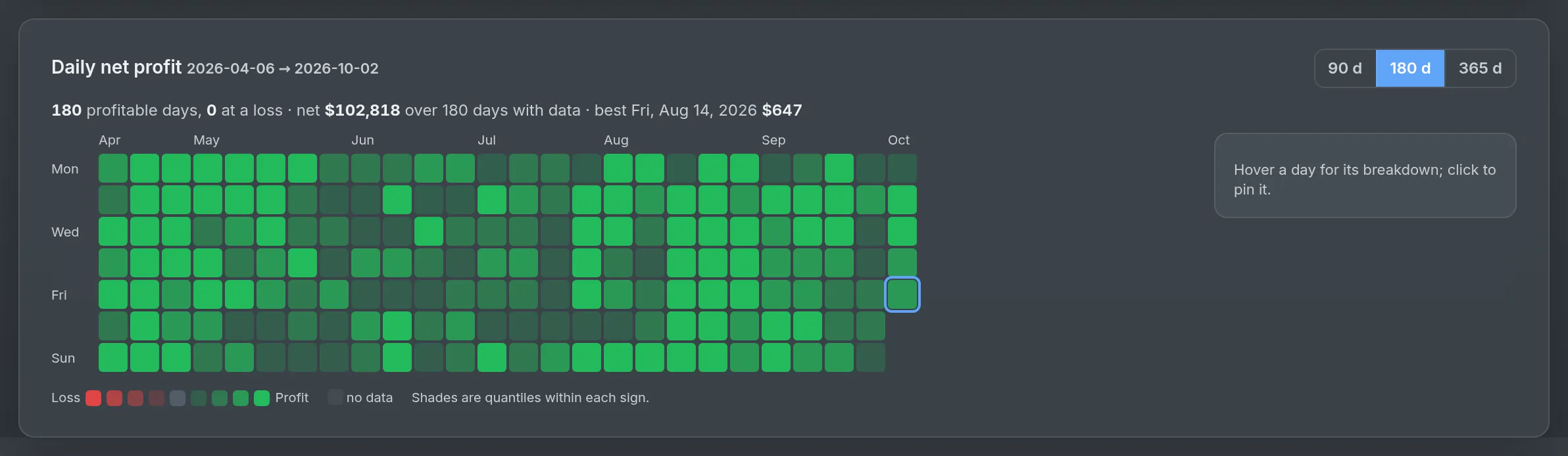
Enter your tariff — flat, or time-of-day like the Polish G12 night rate — and your hardware costs. Hostdeck measures energy from the host agent (or estimates it from board power) and shows what the fleet actually makes: a waterfall from revenue to net, a daily net-profit calendar, hardware payback per machine and the break-even $/GPU/h for each GPU model.

  • Profit by hour of week against your tariff windows
  • Payback timeline with energy-price and occupancy what-ifs
  • A GPU-model map of revenue against cost per GPU-day
Daily net-profit calendar on the Profitability page

Inventory Every plan Fleet planning: Pro

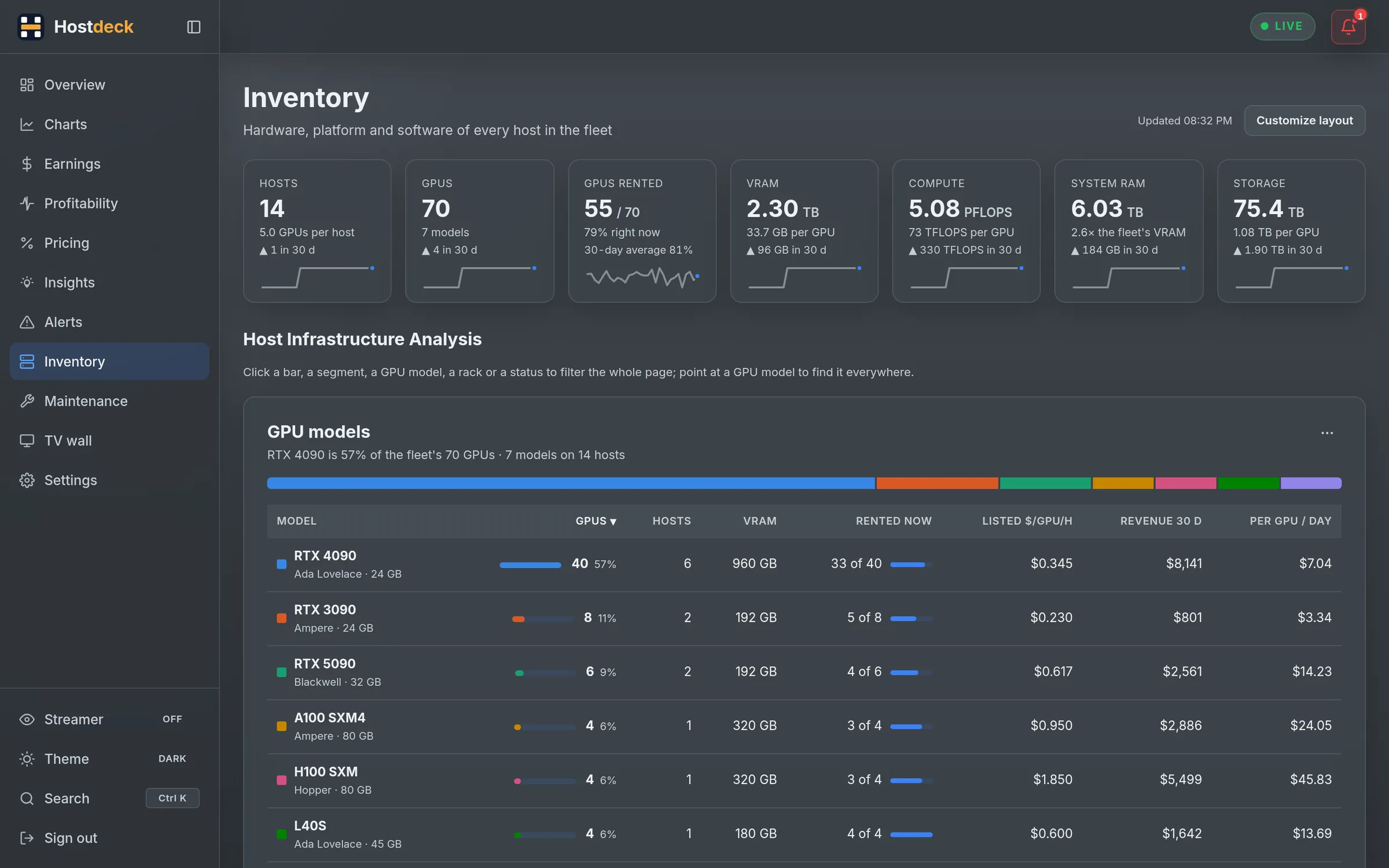
Your server room, and what to buy next.

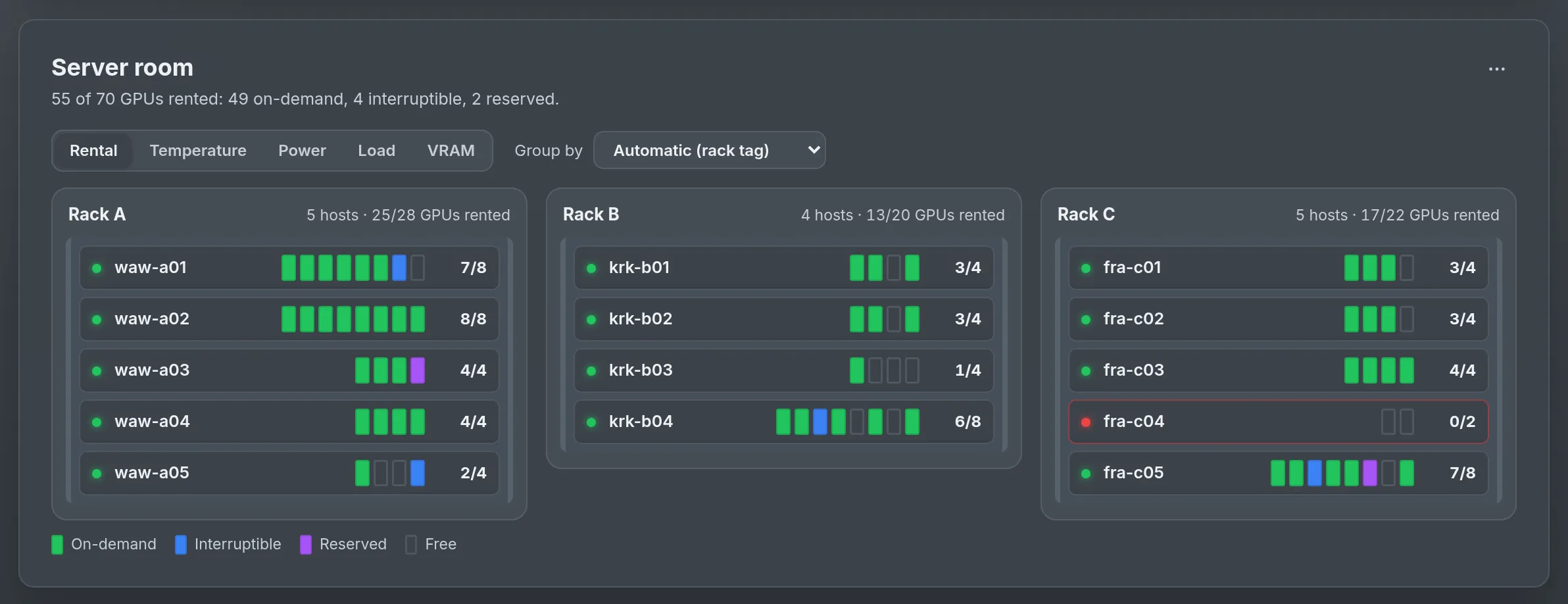
Every host as a chassis in its rack, every GPU lit by what it is doing. Then the planning tools: what holds each host back, what an upgrade would earn, when each machine paid for itself.

Server room view with racks of hosts and one slot per GPU
Server roomRacks from your tags, one slot per GPU, lit by rental, temperature, power, load or VRAM.
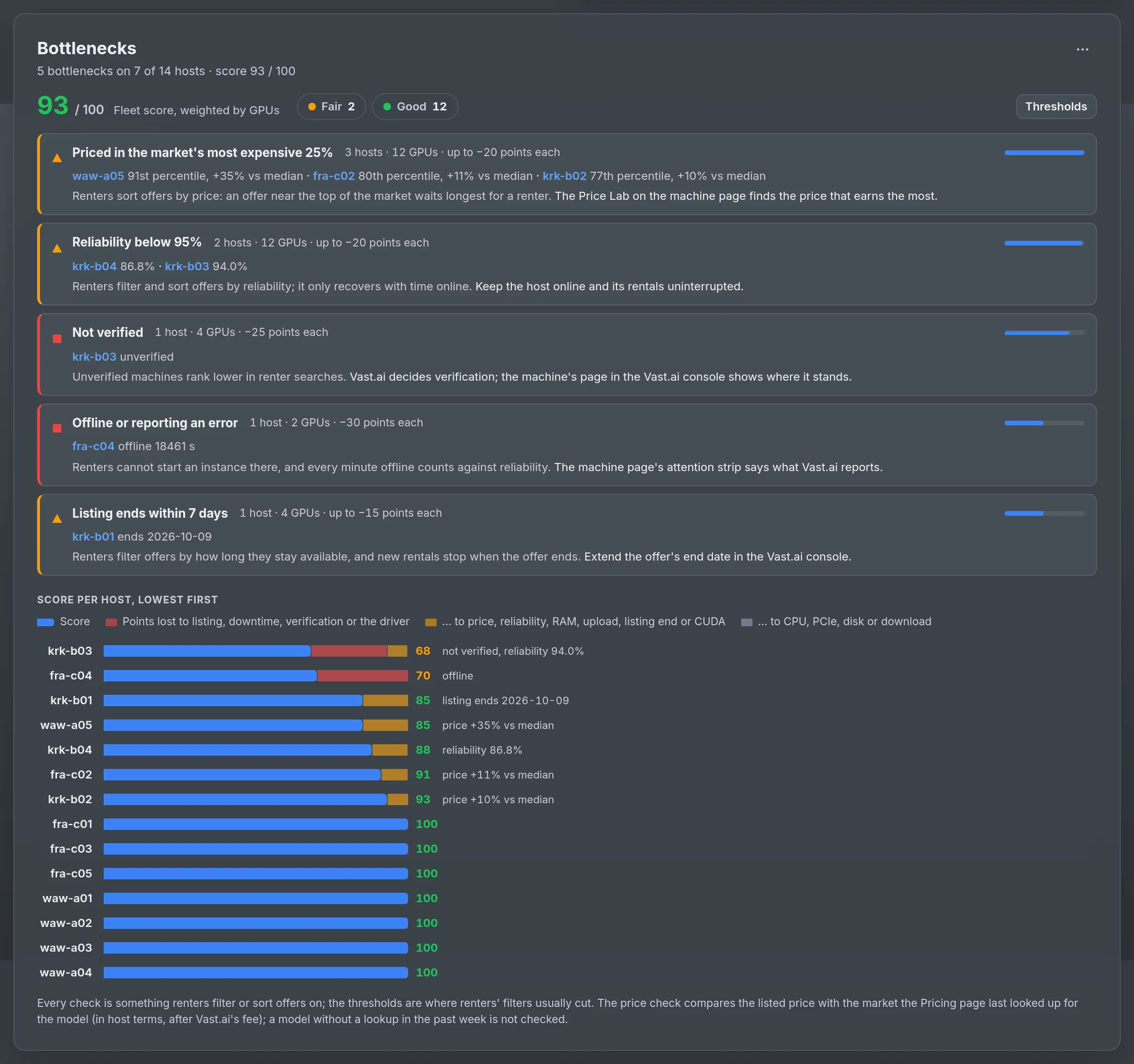
Bottlenecks card ranking what the fleet loses points on
Bottlenecks ProOld drivers, slow upload, low reliability, a price in the market's top quarter — ranked, with a host score.
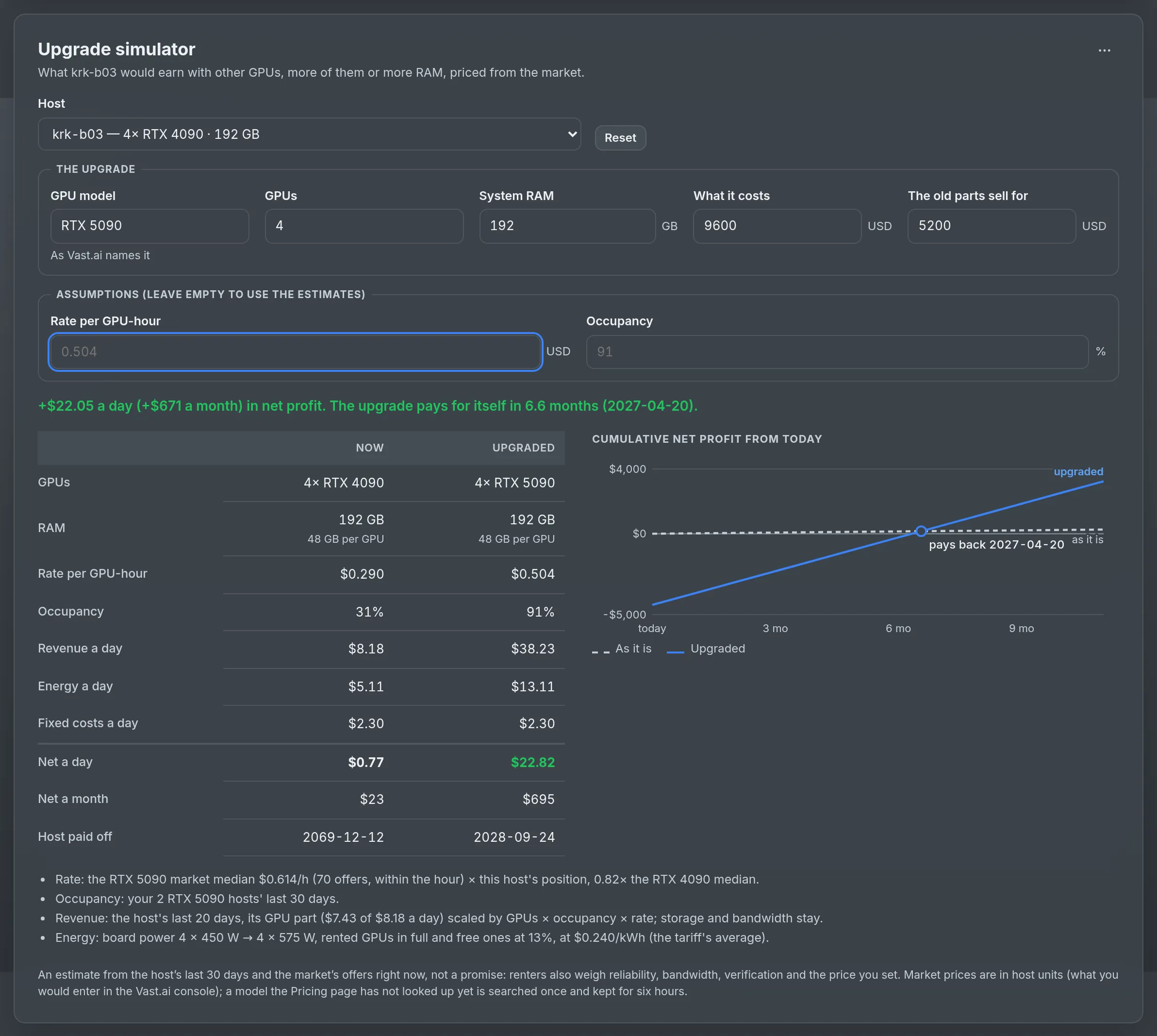
Upgrade simulator with the cumulative-profit chart
Upgrade simulator ProOther GPUs, more of them or more RAM — priced from the market, with the day it pays off.
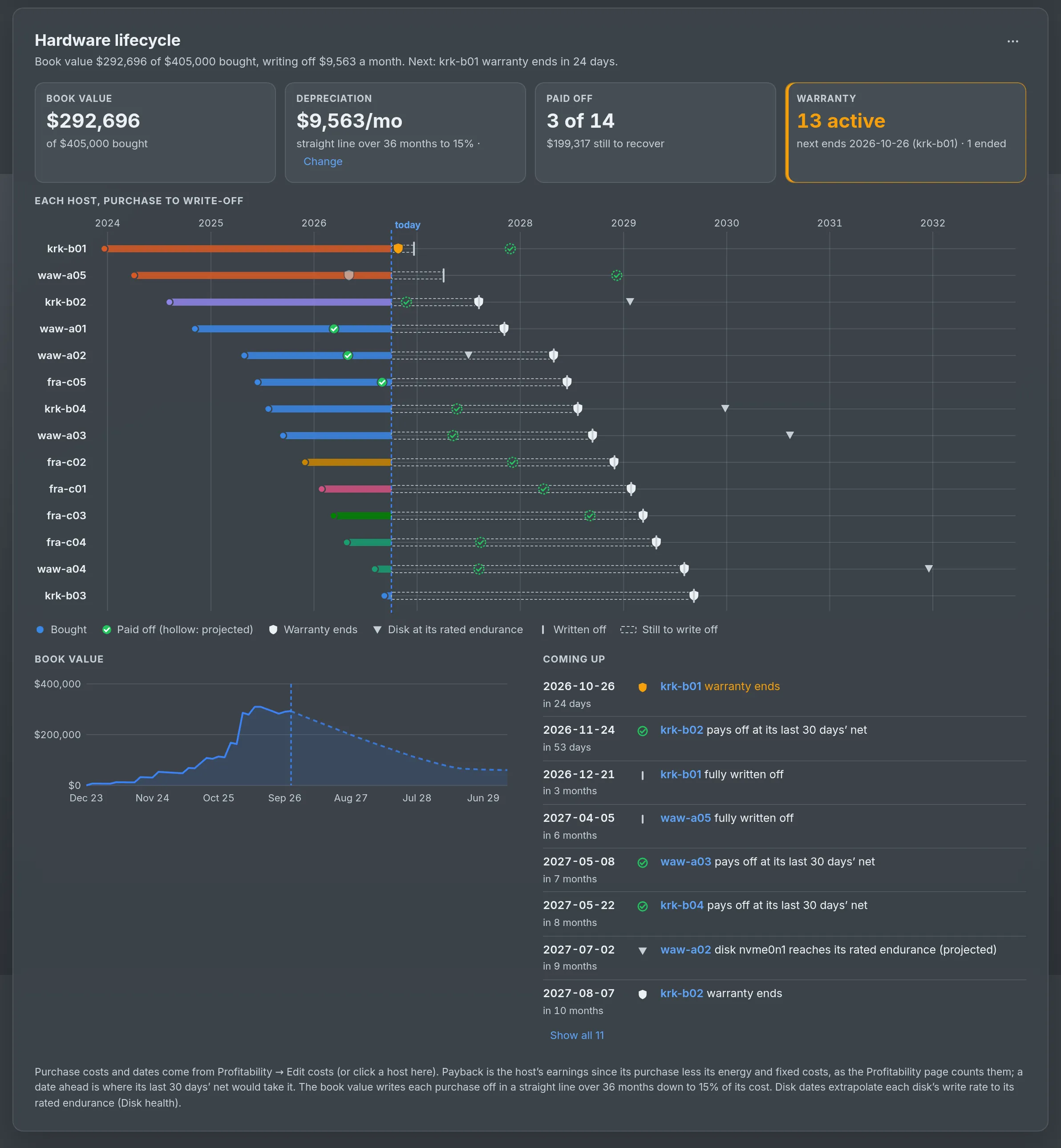
Hardware lifecycle timeline per host
Hardware lifecycle ProPayback, warranty end, disk endurance and the fleet's book value over time.
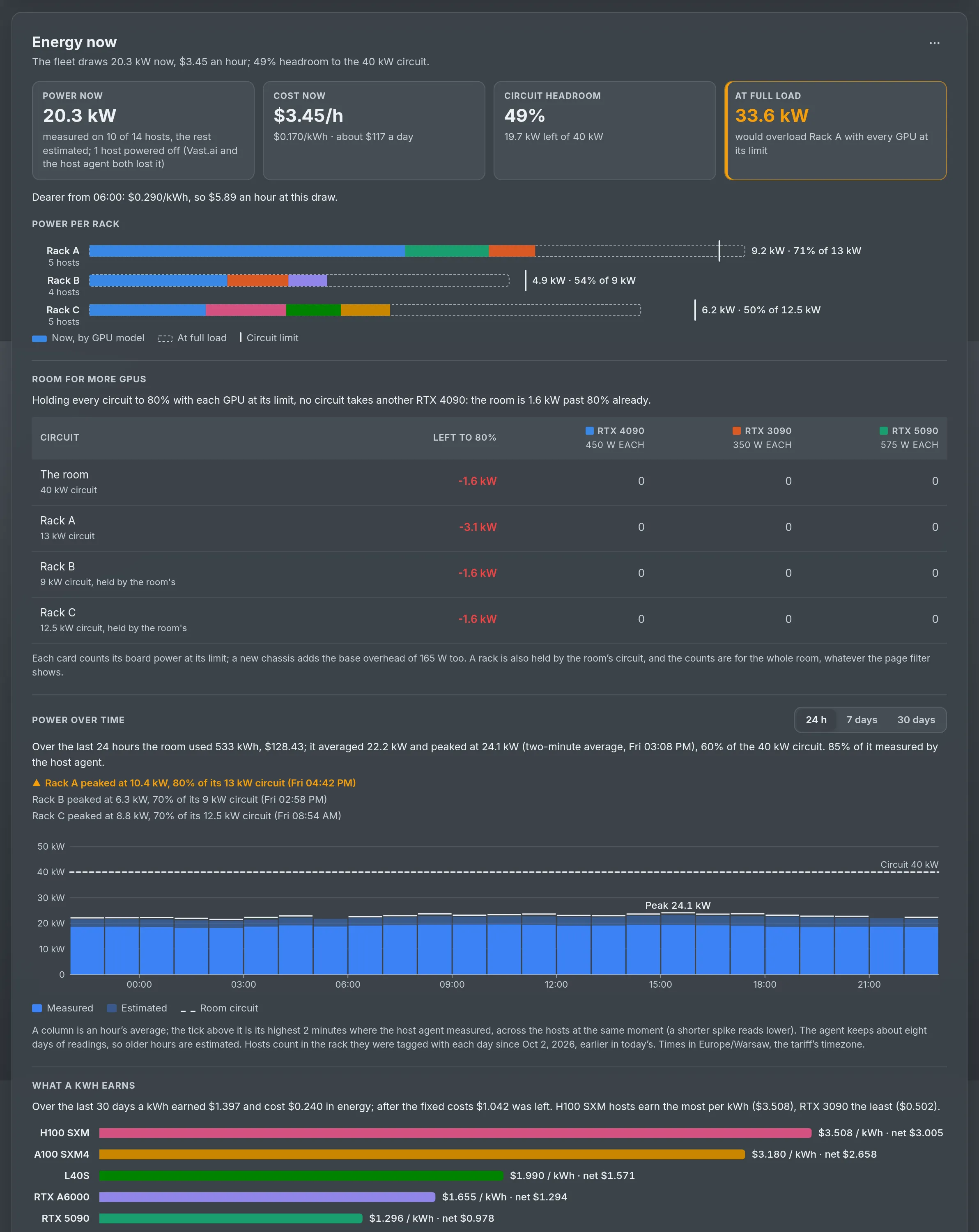
Energy now card with circuit headroom per rack
Energy & circuits ProThe room's draw, its cost this hour and the headroom to every rack's circuit.

Host agent Ultra

See inside every host. Fix it without SSH.

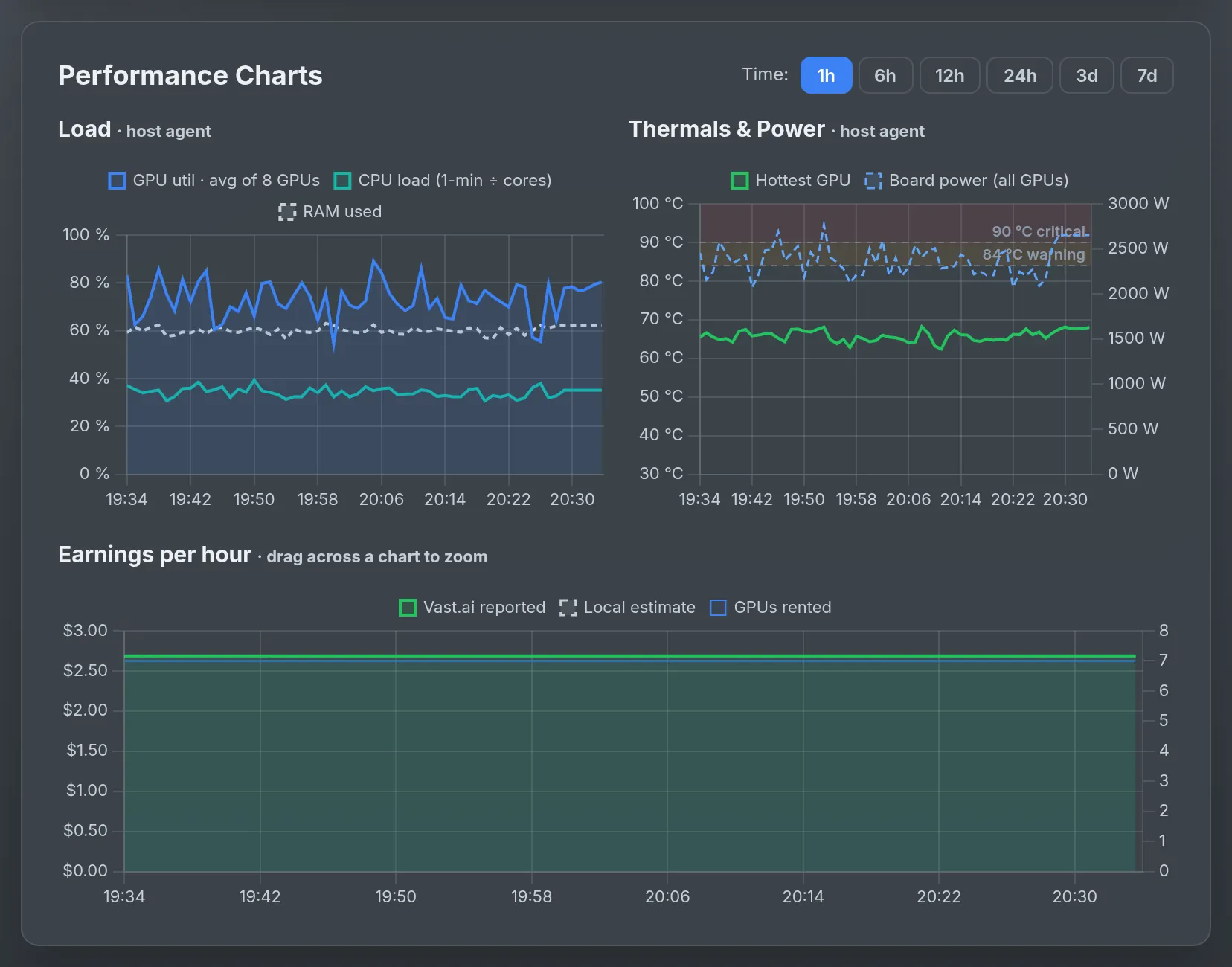
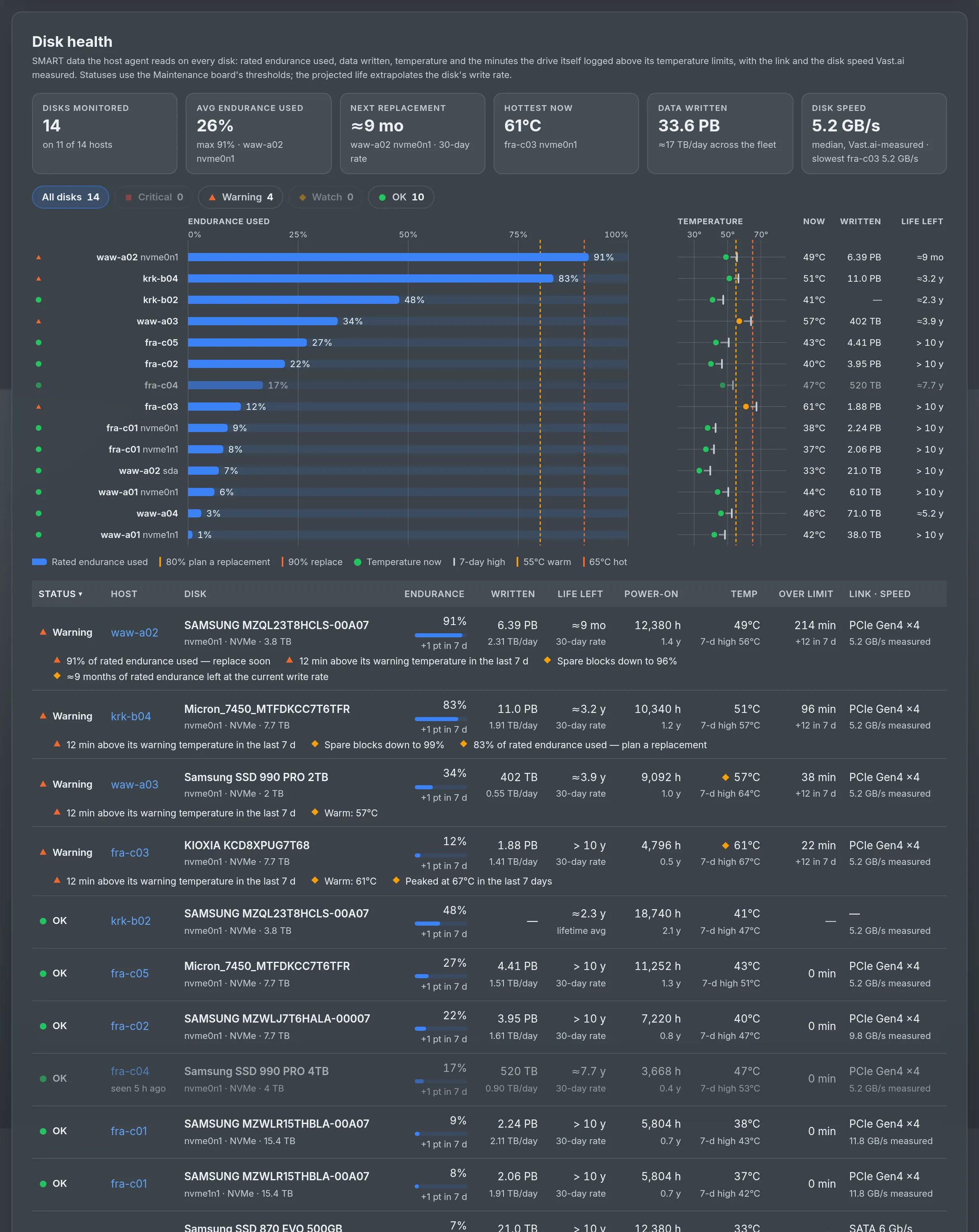
A small, dependency-free agent on each host reports what the Vast.ai API cannot: the container and Docker image of every rental, per-GPU temperature, power, throttling and ECC errors, and SMART health of every disk. Worn disks and overheating GPUs open a maintenance task on their own.

  • Remote Hands: diagnostics, speedtest, Docker cleanup, Vast daemon restart, reboot when idle
  • A closed allowlist compiled into the agent — no free-form commands, opt-in per host
  • Disk health: endurance used, TB written, projected life, thermal events
  • Signed self-updates; tokens hashed at rest and revocable
Per-GPU telemetry charts from the host agent
Disk health table with wear and projected life

Mission Control Pro

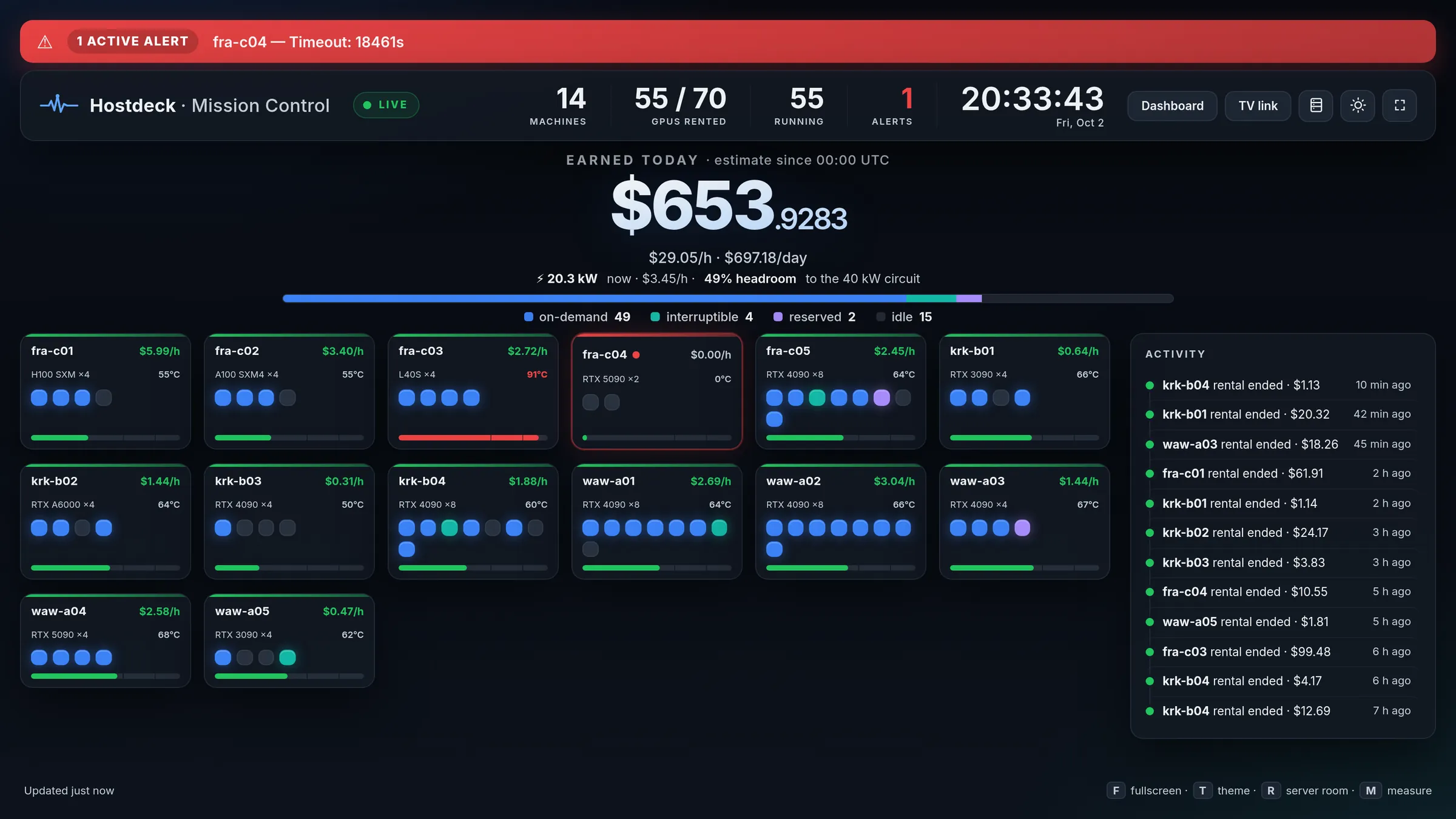
Put the fleet on the TV in the server room.

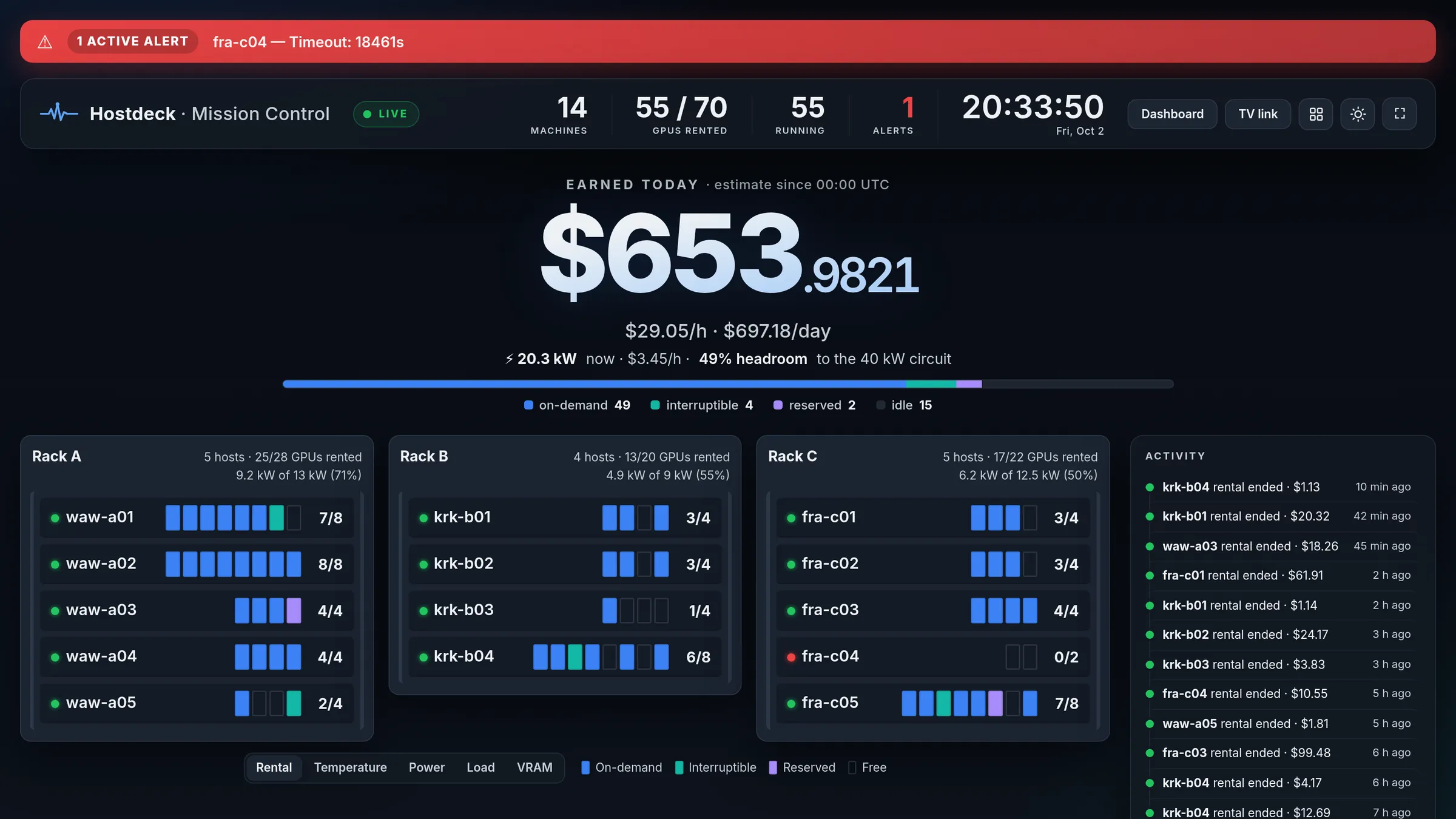
A full-screen live view: one tile per GPU lighting up as it is rented, an earnings ticker that moves every second, the room's power against its circuit and the latest rentals and alerts. Switch to the server-room view with one key. Share it through a revocable kiosk link — no login on the TV.

  • Sized to fit the whole fleet on one screen
  • Dark, light and ash themes, pinned per screen from the link
Mission Control wall with a tile per GPU and an earnings ticker

And the rest

Everything around it, done properly.

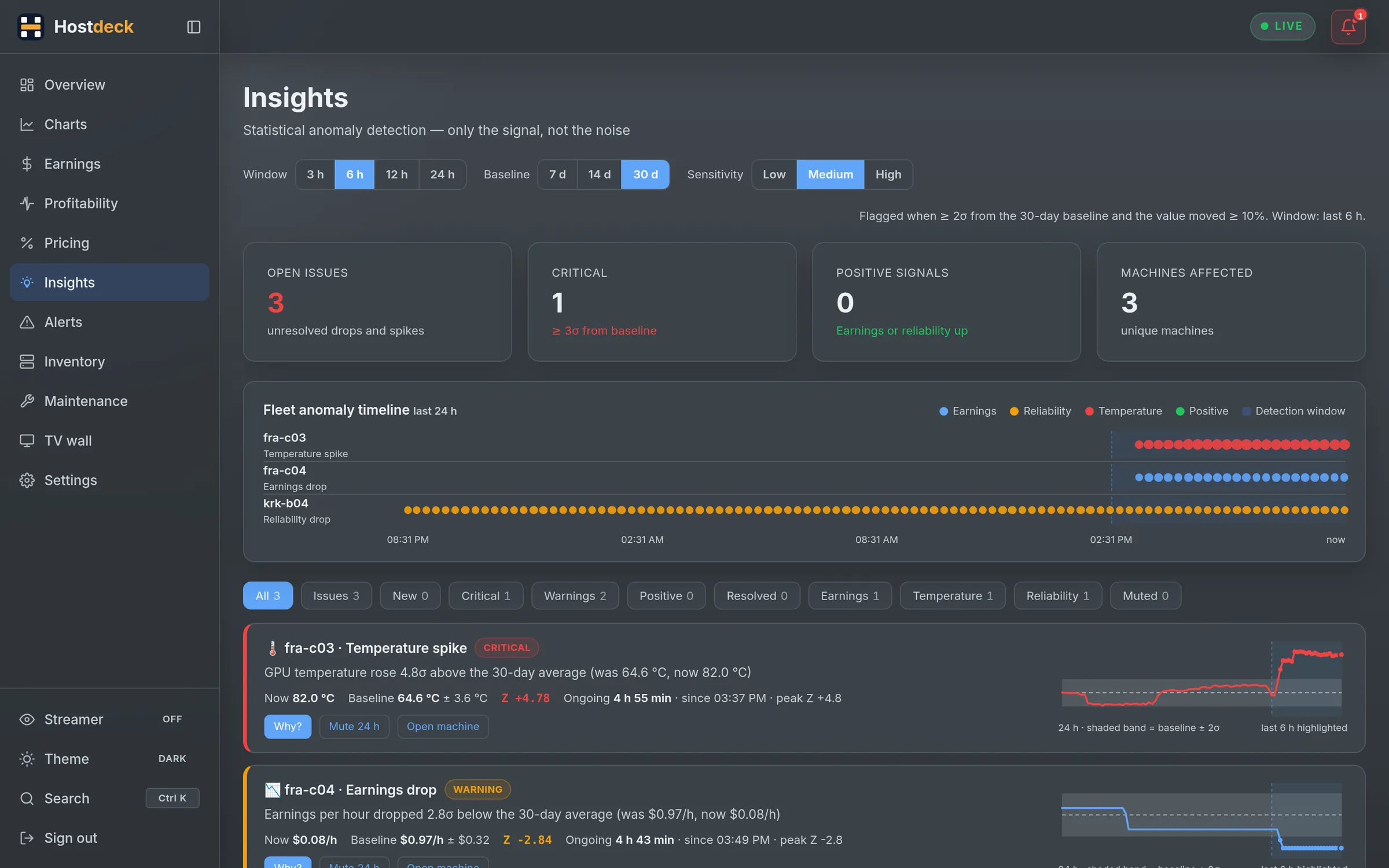
Insights Pro

Statistical anomaly detection on earnings, reliability and temperature, tracked as episodes with a Why? and a next step.

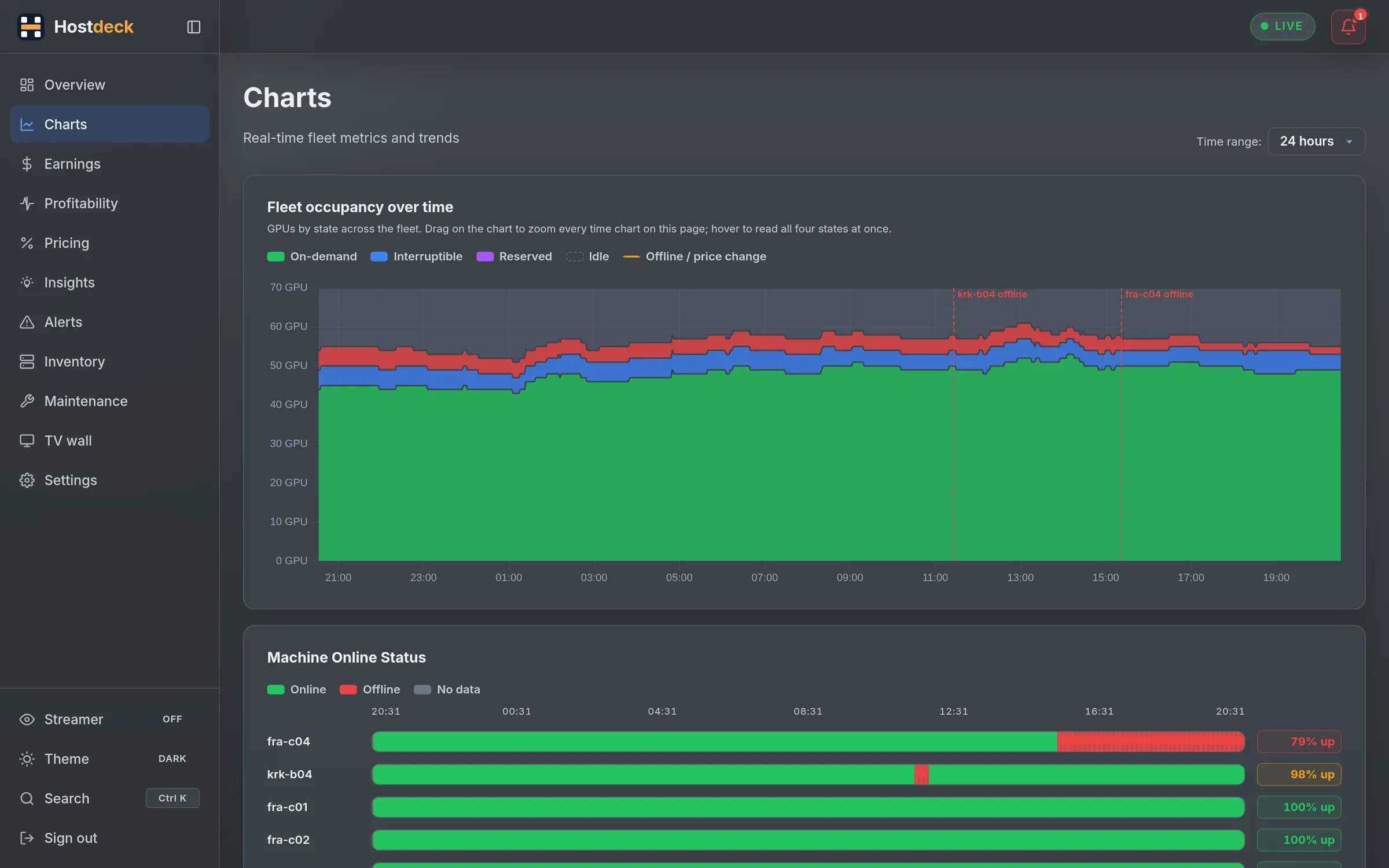
Charts

Fleet occupancy stream, thermal timeline, 60-day uptime bars, trend tiles per machine and where the potential went.

Maintenance board

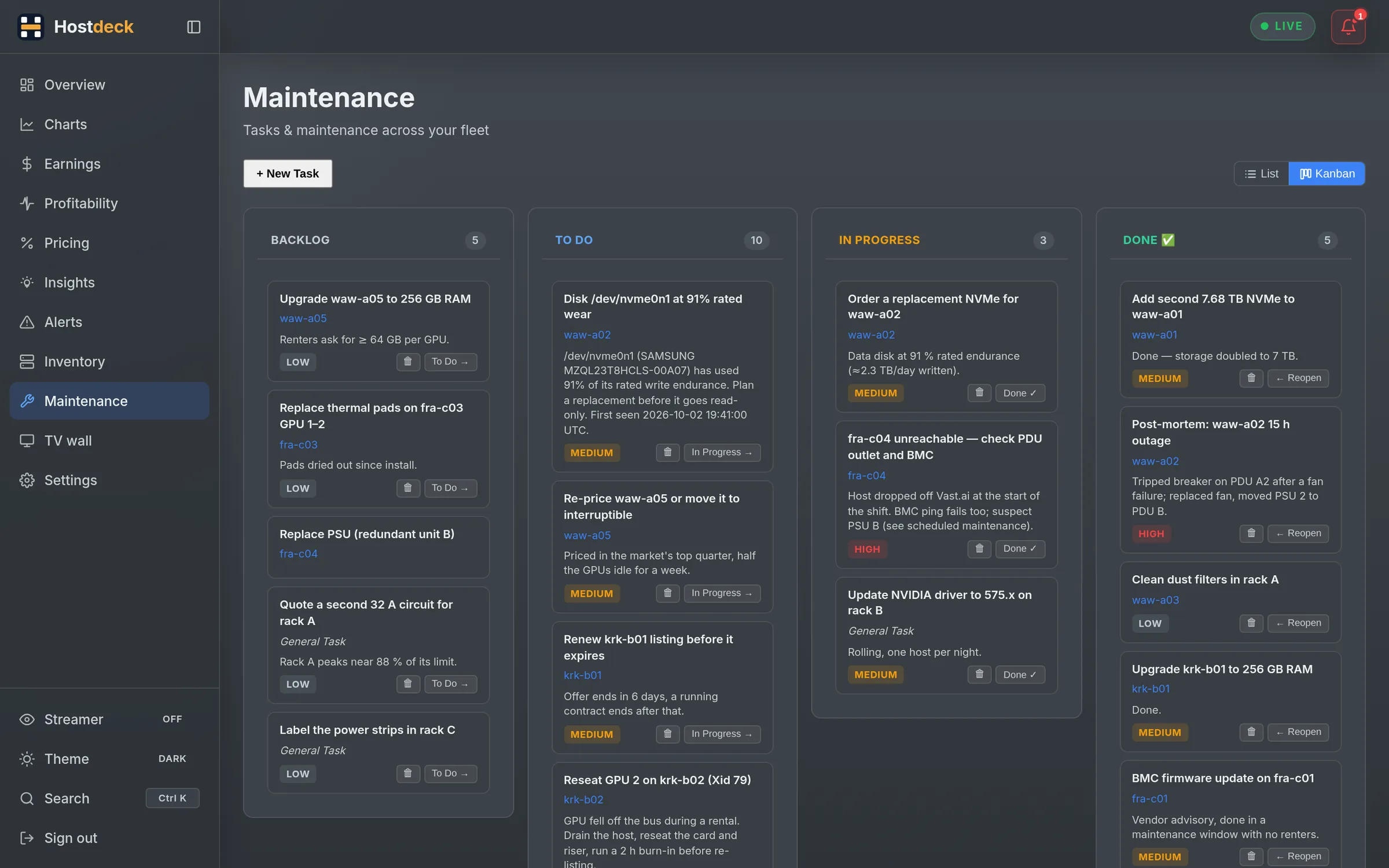
A kanban for hardware work. On Pro, announce the window to renters through Vast.ai in the cheapest hours.

Your time zone

Every timestamp in your browser's zone, or in UTC if you prefer.

Tags and racks

Colour tags to filter the fleet; rack:A tags build the server room.

Five themes

Dark, light, sepia, ash and neon — and a streamer mode that blurs your numbers.

API keys

Long-lived keys for your scripts, each revocable on its own.

Installable app

Add Hostdeck to your phone's home screen; the command palette is one Ctrl K away.

Tour

Every screen, in your theme.

Switch the theme at the top and the screenshots follow. Click one to open it full size.

Overview: earnings today, fleet state and a live card per machine

earnings today, fleet state and a live card per machine

How it works

From sign-up to your first alert in minutes.

  1. 1

    Connect Vast.ai

    Paste your Vast.ai API key. It is encrypted at rest and only used to read your machines — and to change prices when you explicitly allow it.

  2. 2

    Pick your machines

    Choose the hosts to monitor and where alerts go: Discord, Telegram or any Apprise channel. Import your earnings history from the Vast.ai CSV.

  3. 3

    Add the agent (optional)

    One command per host installs the agent for telemetry, disk health and Remote Hands. Python 3 standard library only.

    curl -fsSL …/agent/install.sh | sudo bash -s -- --token …

Pricing

Start with everything. Keep what you need.

Every account starts with 14 days of Ultra — no card. Then pick the plan that fits your fleet. Cancel or switch any time.

Starter

Monitoring and alerts for a small fleet.

$5/ month

billed monthly

  • 5 machines
  • 90 days of history
  • Checks every 300 min
  • Live overview, machine pages and rental sessions
  • Charts: occupancy stream, thermals, uptime, revenue
  • Earnings analytics, CSV import and forecast
  • Alerts for offline, errors and vanished hosts, plus rules
  • Discord, Telegram and 100+ Apprise channels, weekly digest
  • Inventory: server room, GPU models, host table, map
  • Maintenance board, tags, installable app
Start free trial

Ultra

Run the server room without SSH.

$29/ month

billed monthly

  • Unlimited machines
  • 5 years of history
  • Checks every 60 min
  • Everything in Pro, plus:
  • Host agent: container and image of every rental
  • GPU telemetry: temperature, power, throttling, ECC
  • Disk health and predictive maintenance tasks
  • Energy measured per GPU, circuit load per rack
  • Remote Hands: diagnostics, cleanup, daemon restart, reboot when idle
  • Machine ID backups
Start free trial

Prices in USD. The trial is Ultra for 14 days; nothing is charged until you choose a plan. Discord and Telegram alerts are in every plan; email alerts are included in Pro and Ultra, and a $5/month add-on on Starter.

Compare every feature
FeatureStarterProUltra
Plan
Machines 5 machines 15 machines Unlimited machines
History 90 days of history 1 year of history 5 years of history
Checks Checks every 300 min Checks every 120 min Checks every 60 min
Monitoring
Live overview and machine pages (SSE) ✓ ✓ ✓
Rental sessions: start, pause, resume, end, per GPU ✓ ✓ ✓
Charts: occupancy stream, thermals, uptime, trends ✓ ✓ ✓
Offline, error and vanished-host alerts ✓ ✓ ✓
Conditional alert rules ✓ ✓ ✓
Discord, Telegram and Apprise channels ✓ ✓ ✓
Weekly fleet digest ✓ ✓ ✓
Email notifications $5/mo add-on ✓ ✓
Earnings
Earnings analytics and CSV import ✓ ✓ ✓
Earnings forecast with what-if ✓ ✓ ✓
Earnings Autopsy — ✓ ✓
Pricing and profit
Pricing against the market — ✓ ✓
Pricing Autopilot (beta) — ✓ ✓
Profitability: tariffs, net profit, payback — ✓ ✓
Insights: anomalies and fleet health — ✓ ✓
Fleet
Inventory: server room, GPU models, host table, map ✓ ✓ ✓
Side-by-side host comparison ✓ ✓ ✓
Maintenance board ✓ ✓ ✓
Bottlenecks and hardware economics — ✓ ✓
Upgrade simulator and hardware lifecycle — ✓ ✓
Energy now, circuits and fleet history — ✓ ✓
Mission Control TV wall — ✓ ✓
Maintenance windows via Vast.ai — ✓ ✓
Host agent
Container and image per rental — — ✓
GPU telemetry and disk health — — ✓
Predictive maintenance tasks — — ✓
Remote Hands — — ✓
Machine ID backups — — ✓

FAQ

Questions hosts ask us.

What happens when the trial ends?

For 14 days you get everything in Ultra. When the trial ends, monitoring and alerts pause until you choose Starter, Pro or Ultra — your machines, notification targets and settings stay, and the last 30 days of history are kept. Subscribe during the trial and nothing changes on the day it ends.

Do I need a credit card to start?

No. You only enter payment details, through Stripe, when you choose a plan.

Will Hostdeck change my prices on its own?

Only if you ask it to. Nothing is written to Vast.ai until you tick Allow price changes for a machine. Autopilot policies start in dry run, so you see what they would do before they do it, and every change can be rolled back.

What does the host agent do, and is it safe?

It reads container metadata from Docker, GPU telemetry from nvidia-smi and disk health from smartctl, and reports them to your account. Remote Hands actions are a closed list compiled into the agent — there is no way to run an arbitrary command — and each host has to opt in. Rebooting additionally needs its own flag and waits until no rental is running.

What happens to my Vast.ai API key?

It is encrypted at rest and only used from our servers to read your machines, earnings and the market — plus the price and maintenance changes you explicitly start or allow.

Can I switch plans later?

Yes, any time from Settings → Billing. Yearly plans cost ten months' worth — two months free.

How many machines do I need for each plan?

Starter covers up to 5 machines, Pro up to 15 and Ultra has no limit. A machine is one Vast.ai host, however many GPUs it has.

Do you support Polish energy tariffs?

Yes. Set time-of-day tariffs such as G12 on the Profitability page. Prices are entered in USD, the currency Vast.ai pays in.

Your fleet already earns. Make it earn on purpose.

14 days of Ultra, free. No card, set up in minutes.

Start free trial